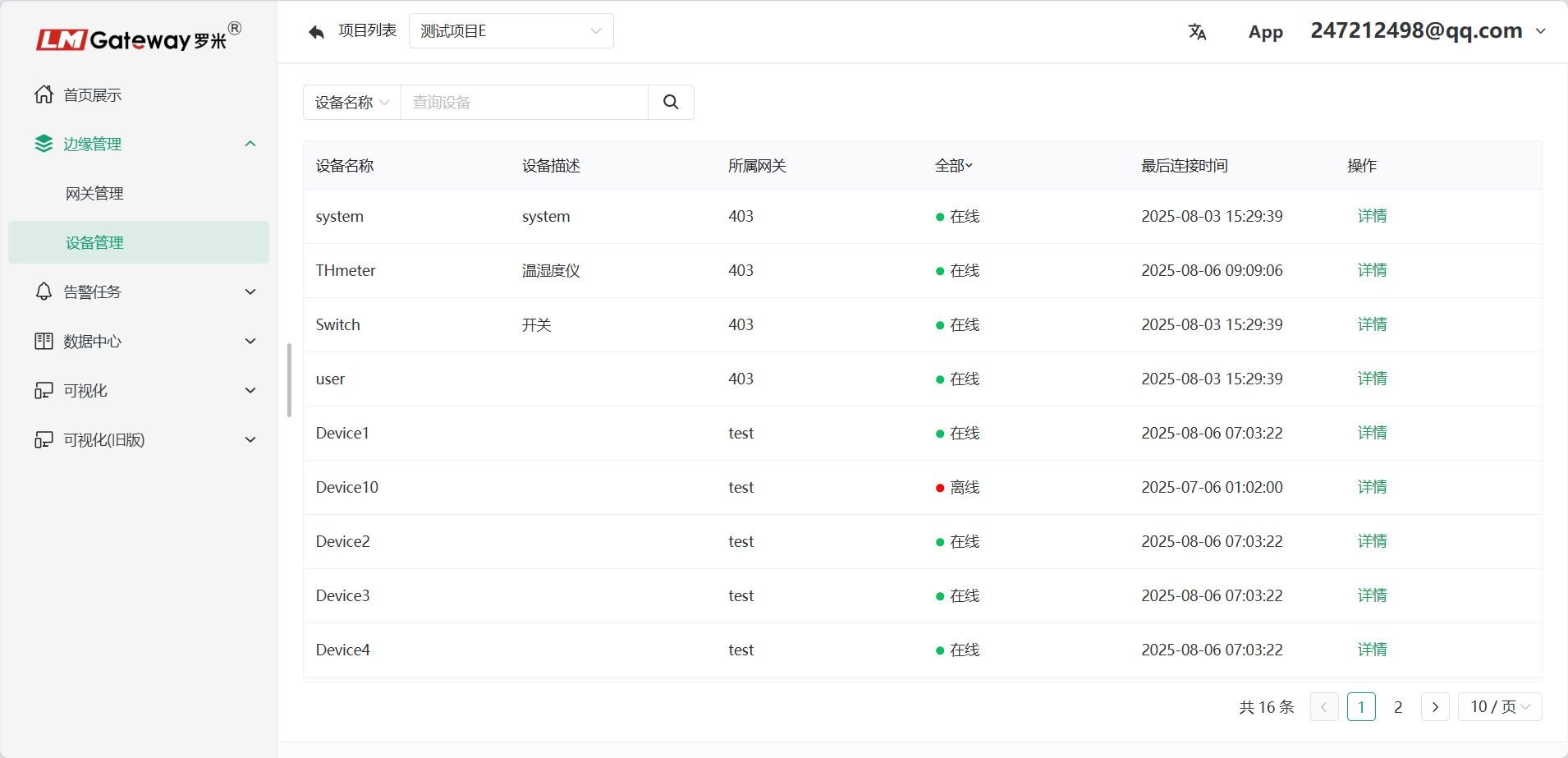
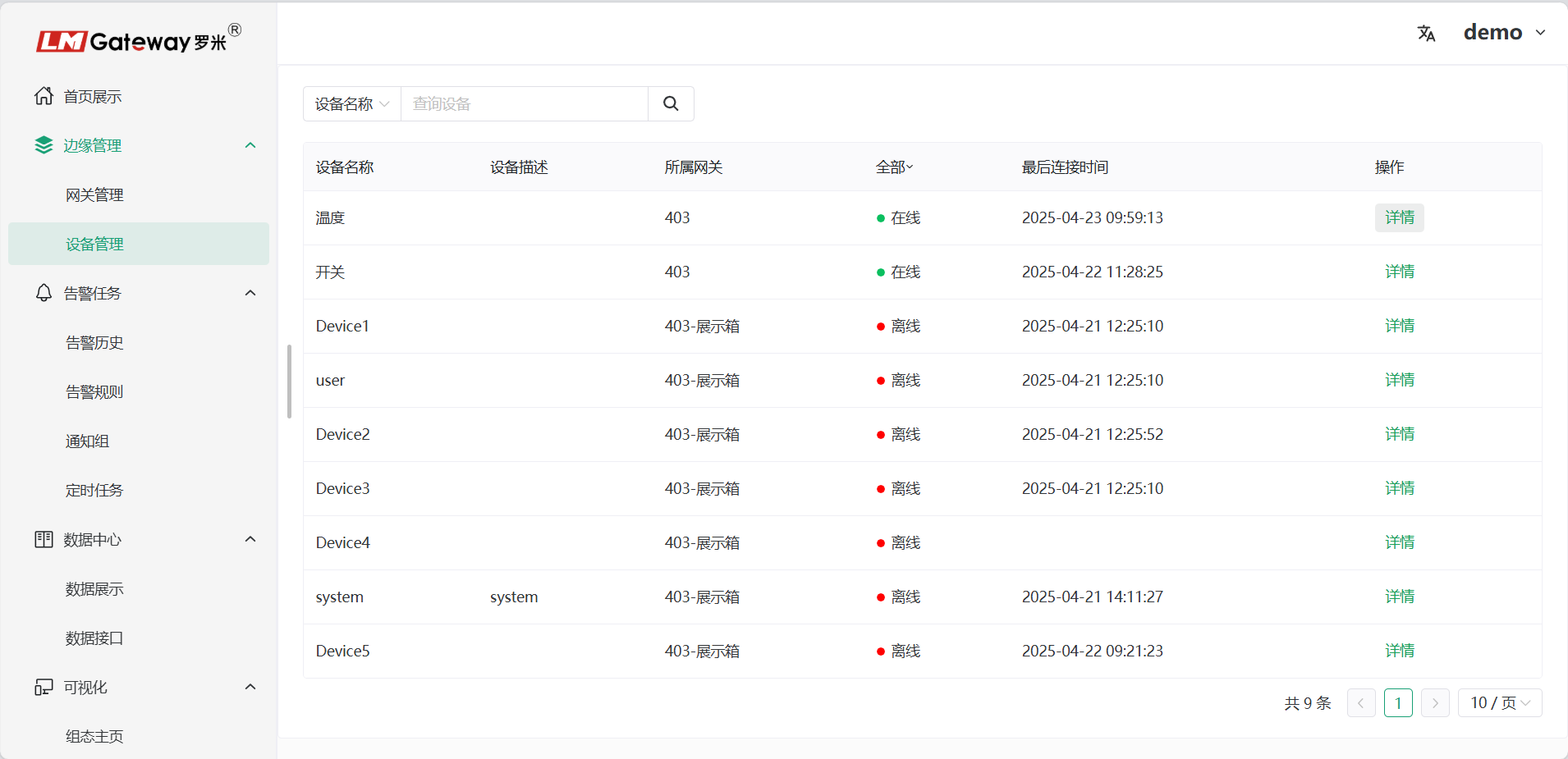
Device Management
Overview
ThingsIoT device-management capabilities go beyond basic data viewing and control. By combining real-time monitoring, mobile access, chart visualization, API support, and log analysis, the platform provides a convenient and efficient device-management experience.
Quick Start
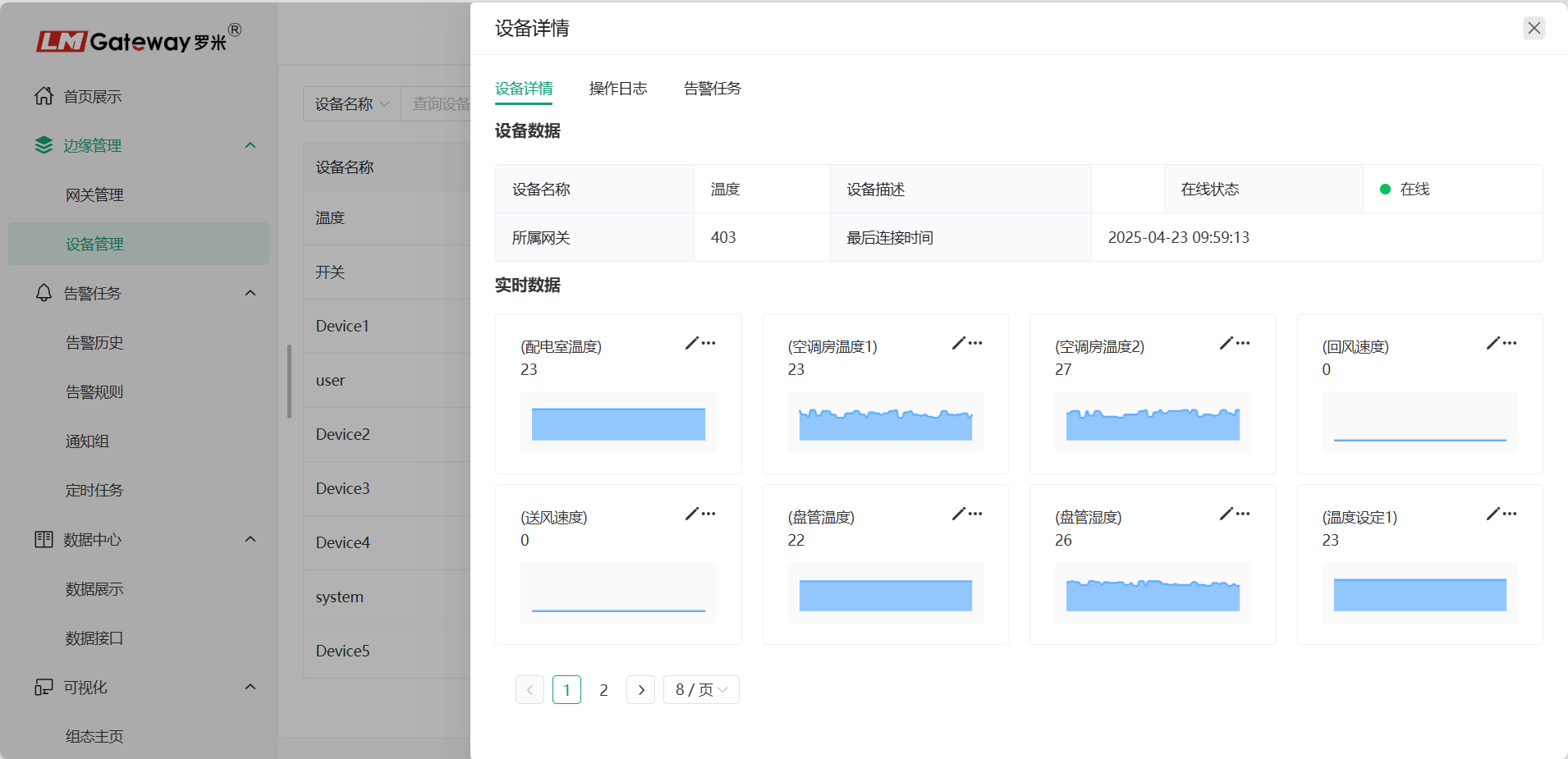
Device Details
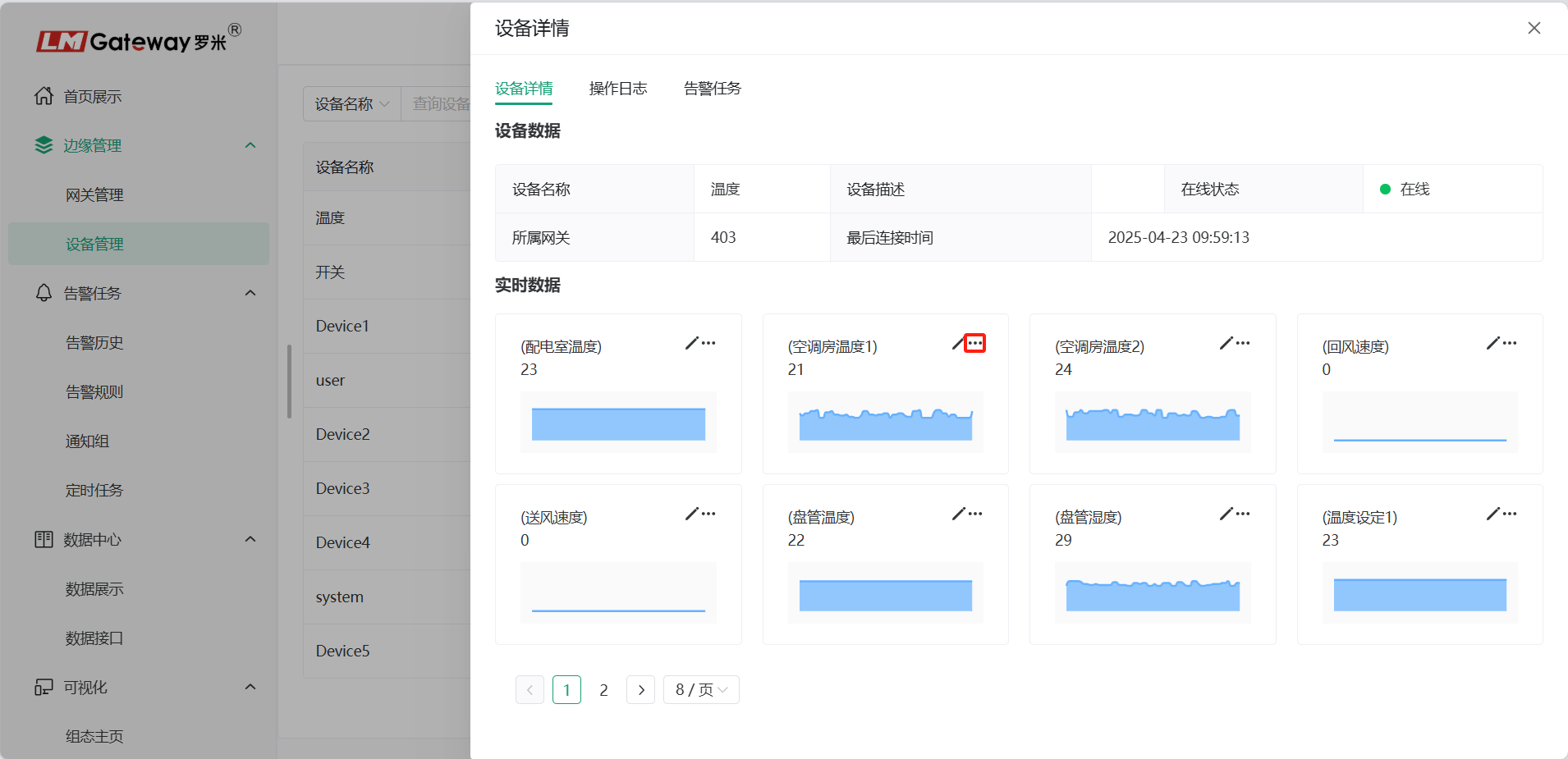
Click Details to view device information, including the device name, associated gateway, and device data. Data changes are displayed as trend charts to help users understand and analyze the data in greater depth.
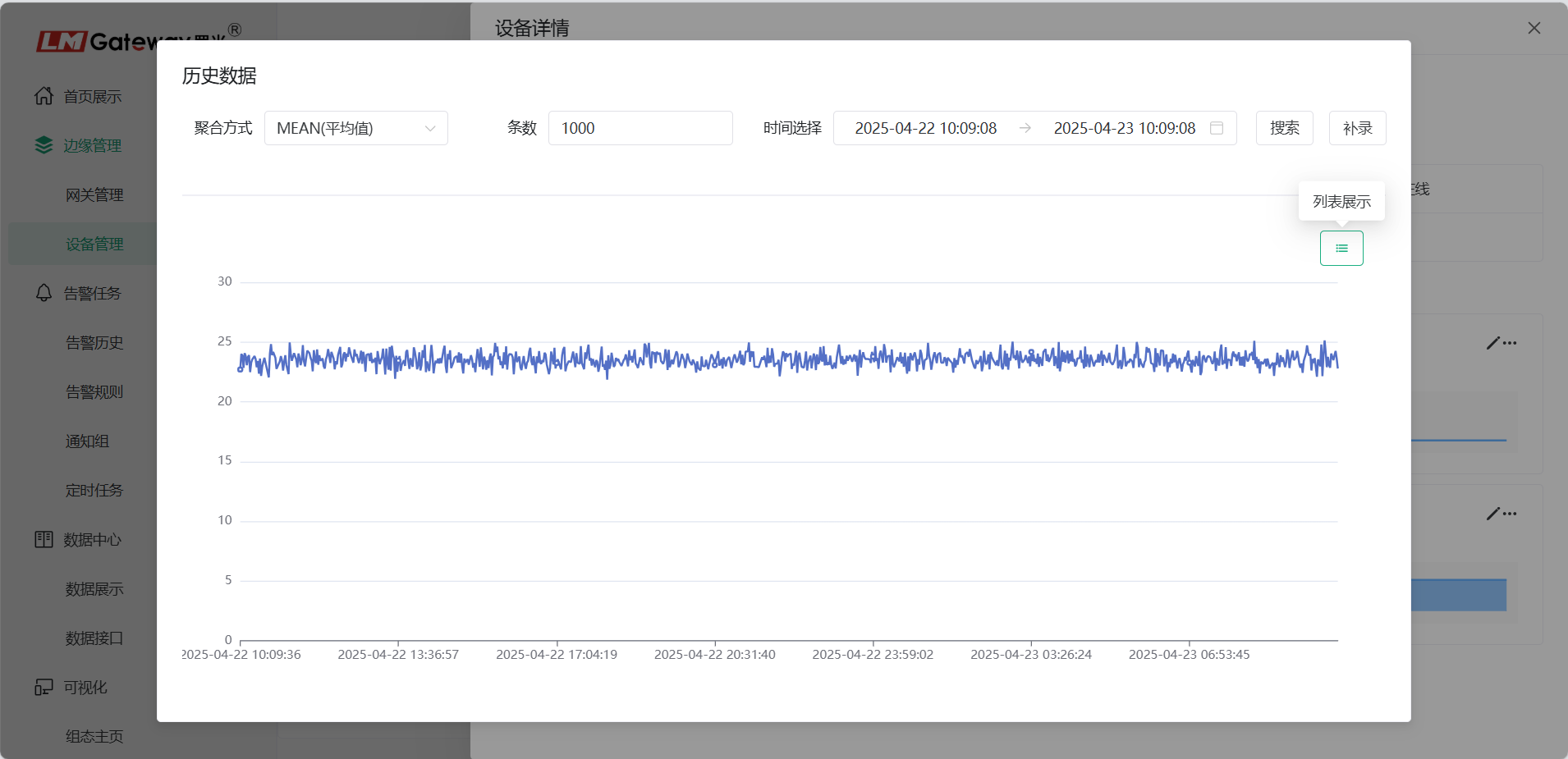
Click  to view gateway historical data.
Note: The historical data shown here is stored on the platform.
Unlike the historical data under Gateway Details, this function does not require data storage to be configured in the gateway project.
Aggregated Queries
The platform supports aggregated queries for device historical data.
Available aggregation methods include:
- First value
- Last value
- Maximum
- Minimum
- Average
- Sum
- Median
Device Operations
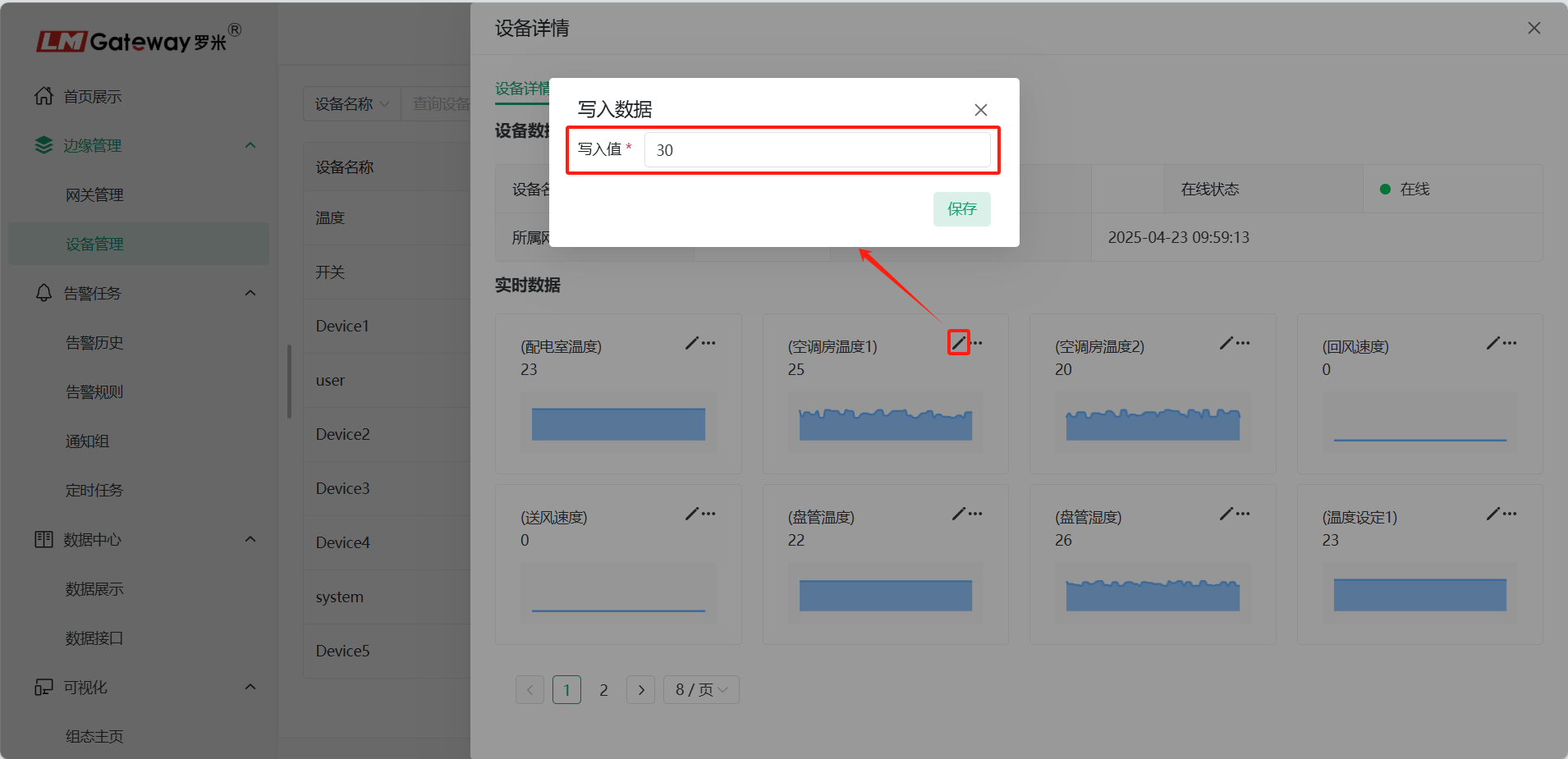
Click the  button to write data. Only writable points are supported.
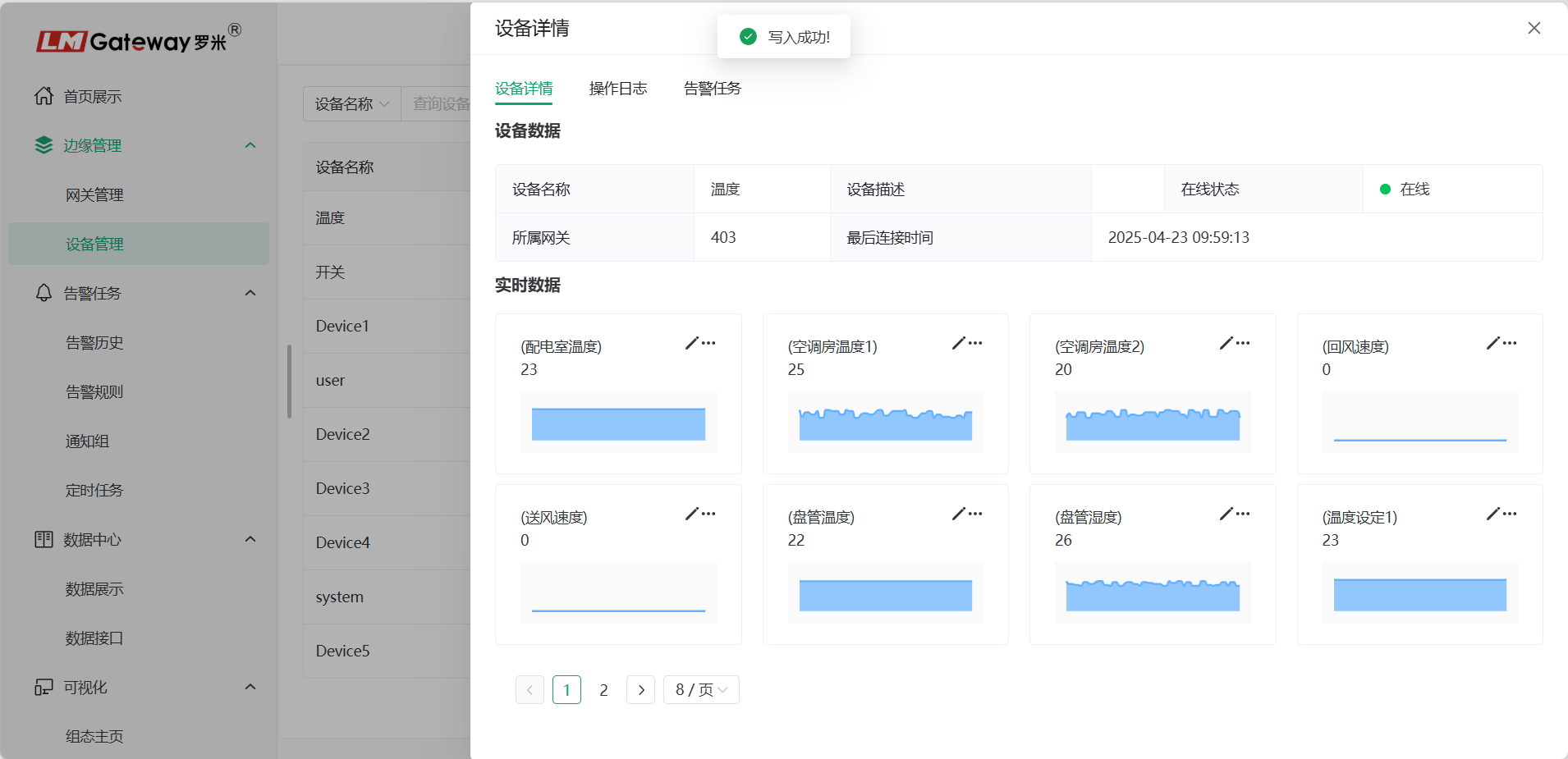
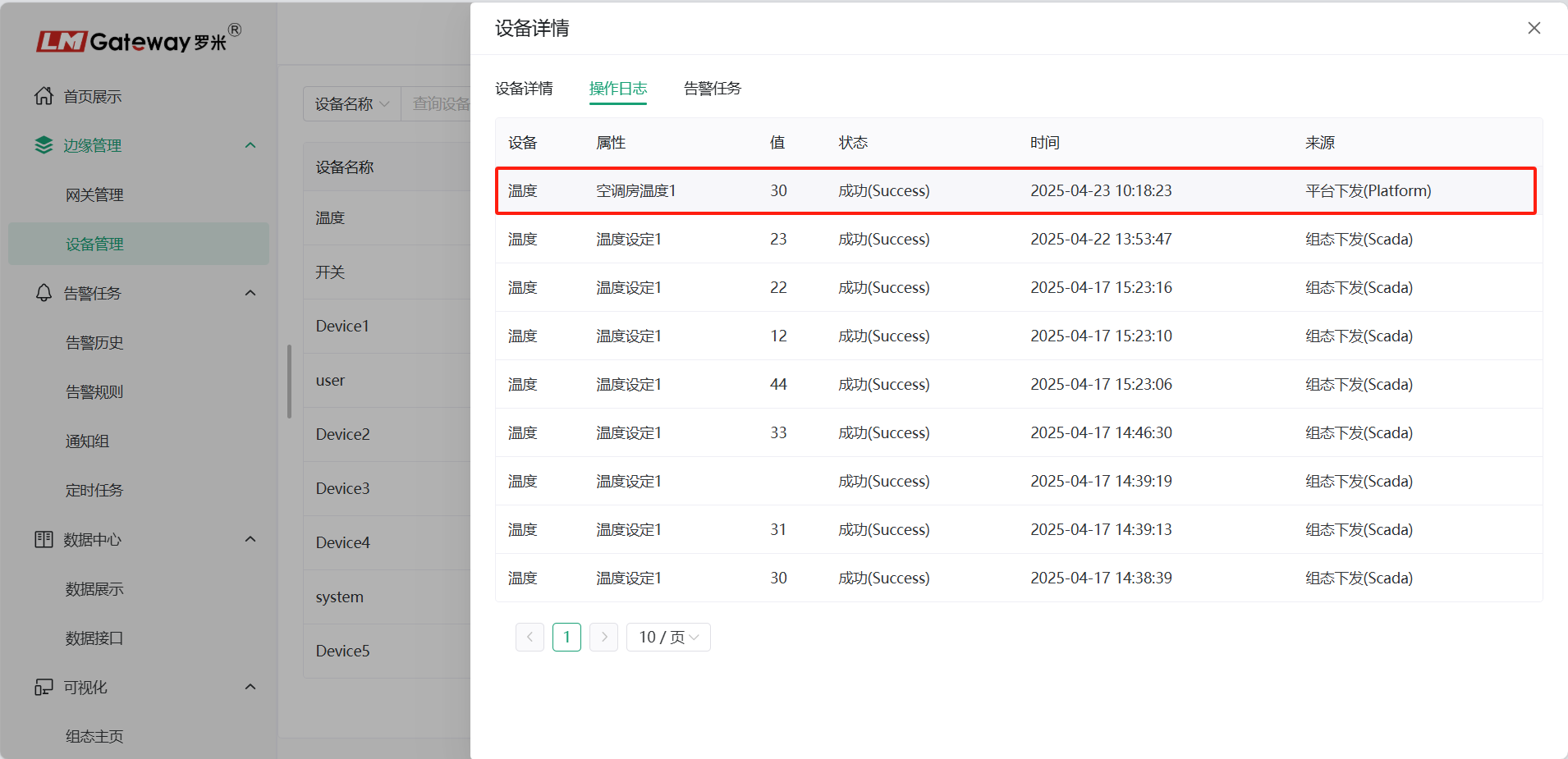
After a write operation is executed, the previous write command can be viewed in the operation log. The log records changes to data values.
Operation Logs
View write-operation records for device data points on the Operation Logs page.
Alarm Tasks
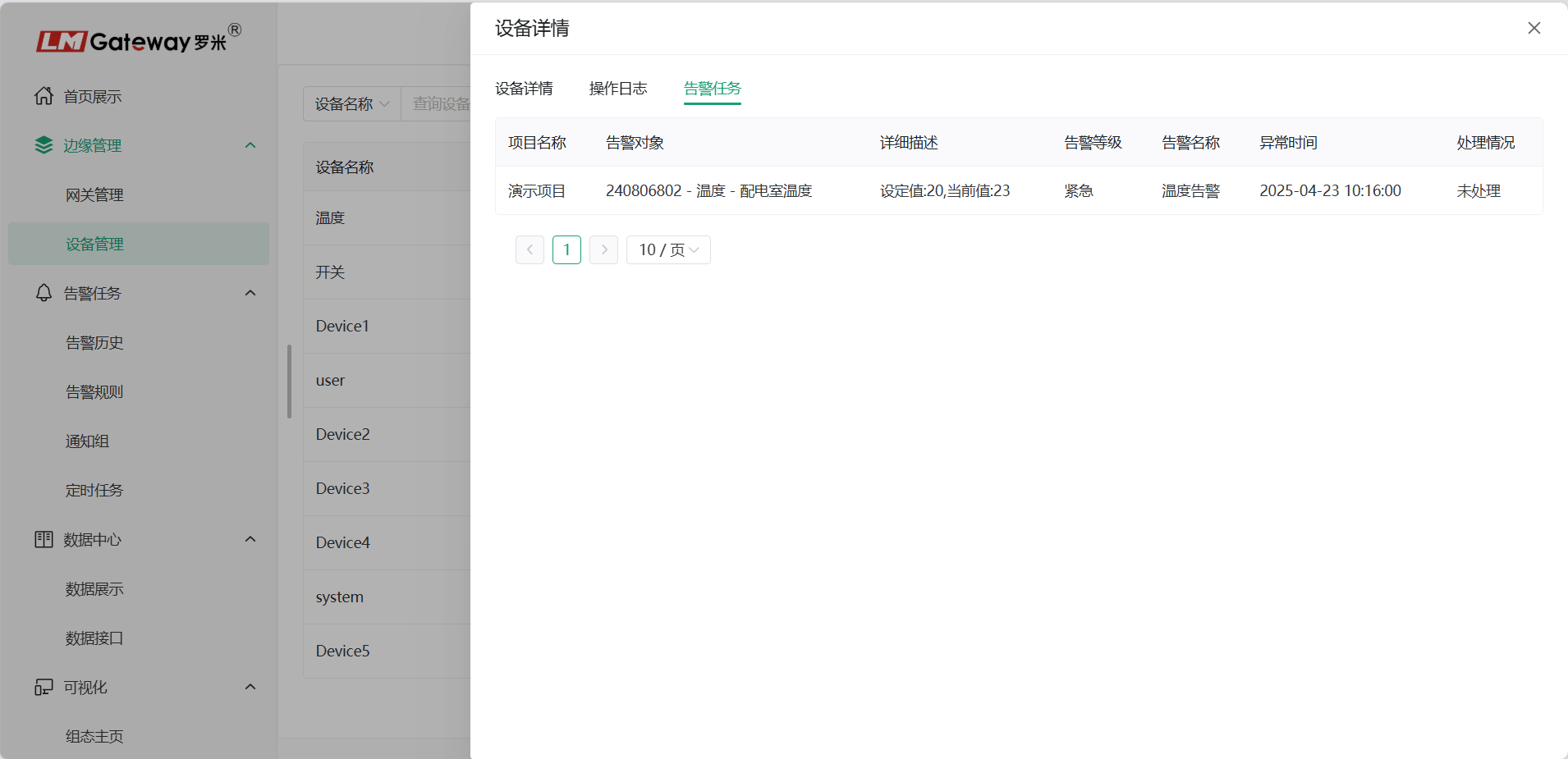
View device alarm records on the Alarm Tasks page. To learn how to add an alarm, click here.
Device Management Q&A
Device Offline
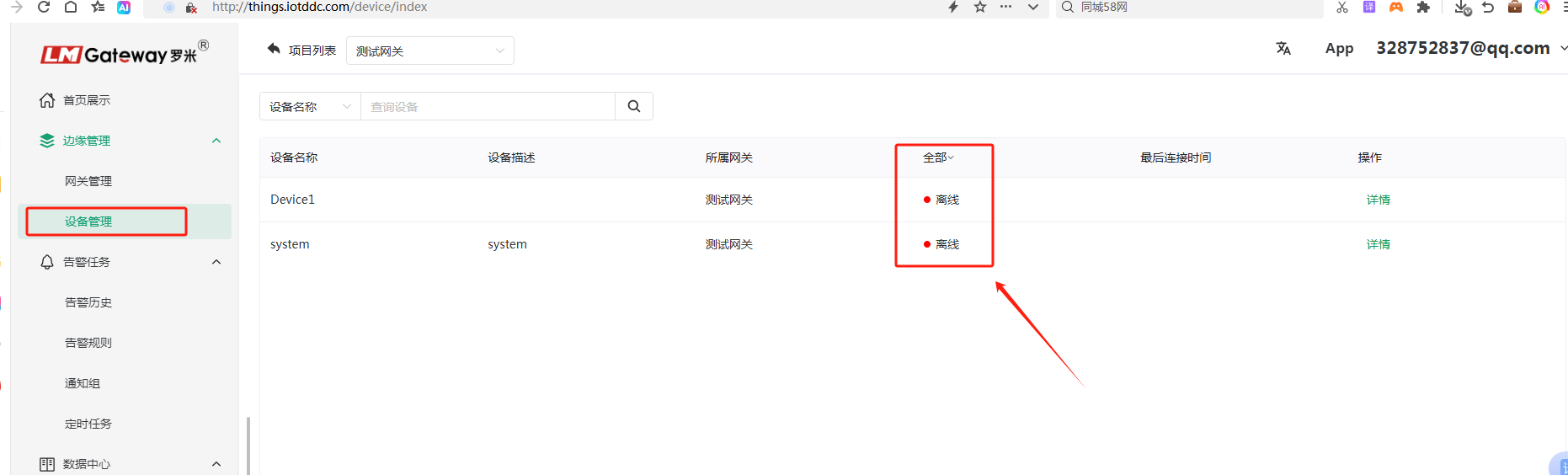
When customers view device information on the Device Management page, they may find that a device is offline or that no device information is displayed.
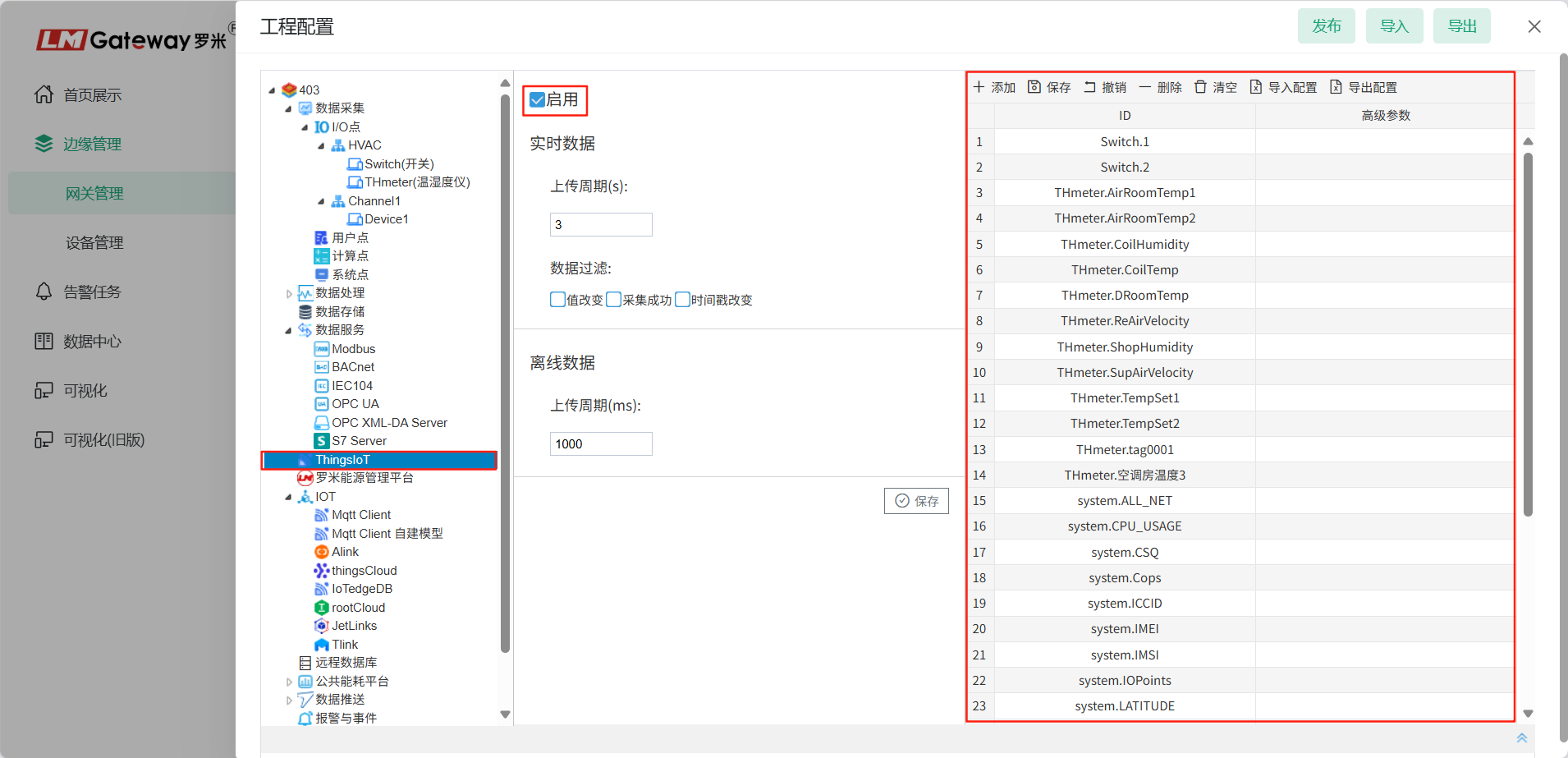
First configure ThingsIoT data push on the platform. After enabling ThingsIoT, click Publish.
If the device appears offline, open Gateway Management and confirm that the gateway is collecting real-time data normally.
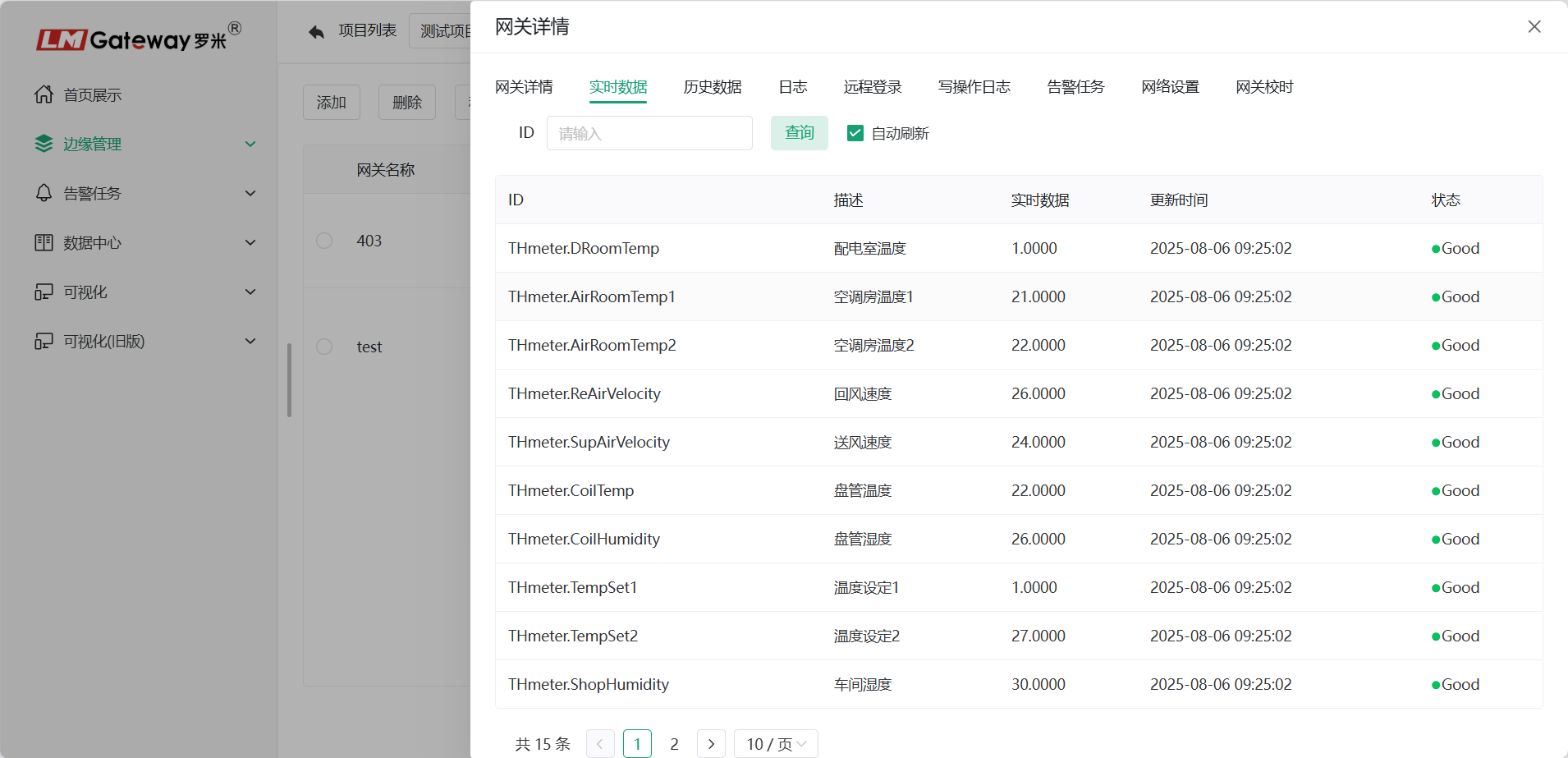
View the gateway's real-time data.
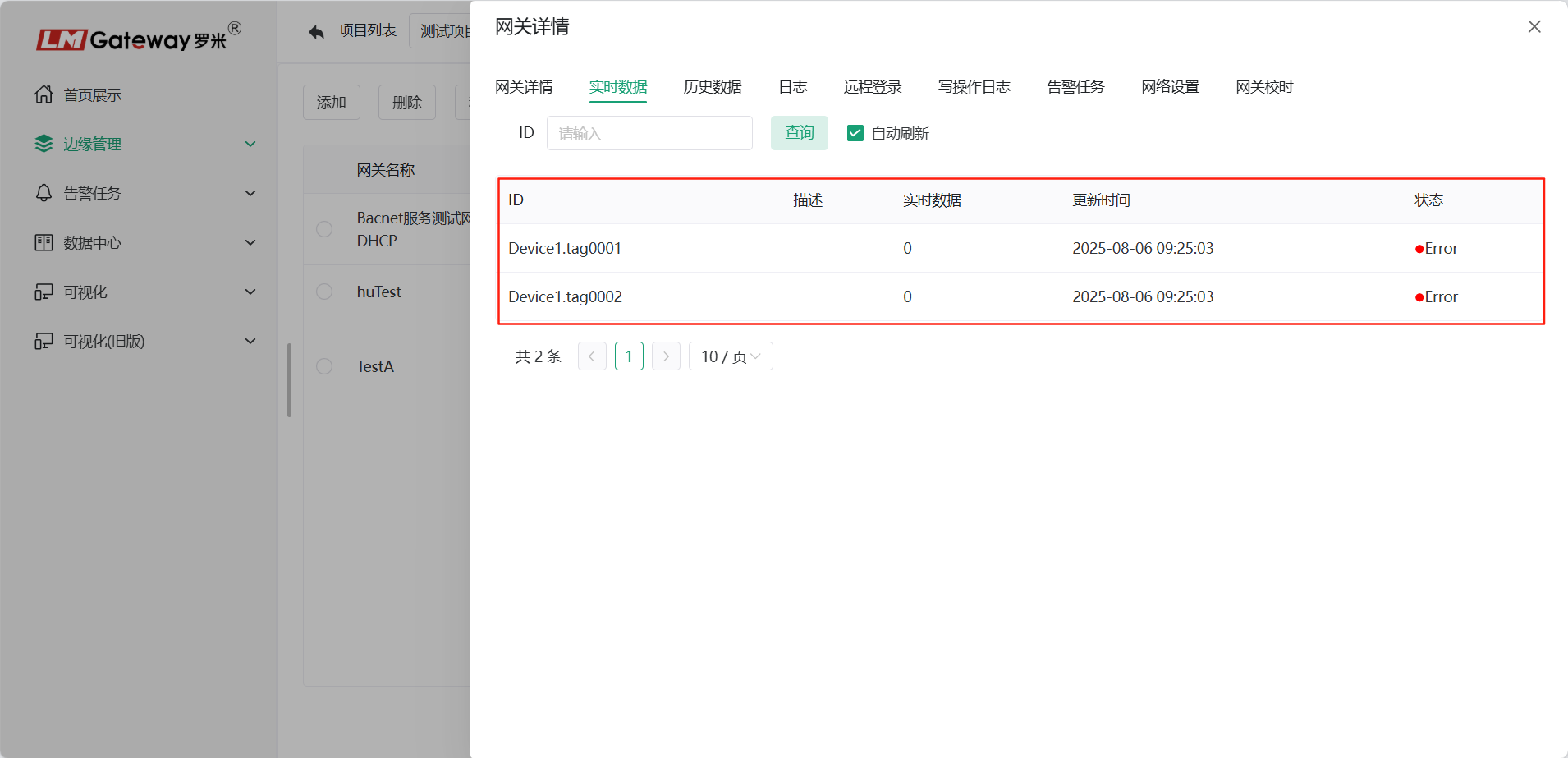
Check and correct the acquisition configuration so that real-time data collection operates normally.